
One link replaces the whole pipeline
Paste a chapter link and the app downloads every page, removes ad pages, analyses the story and builds the video all the way to the MP4 export.
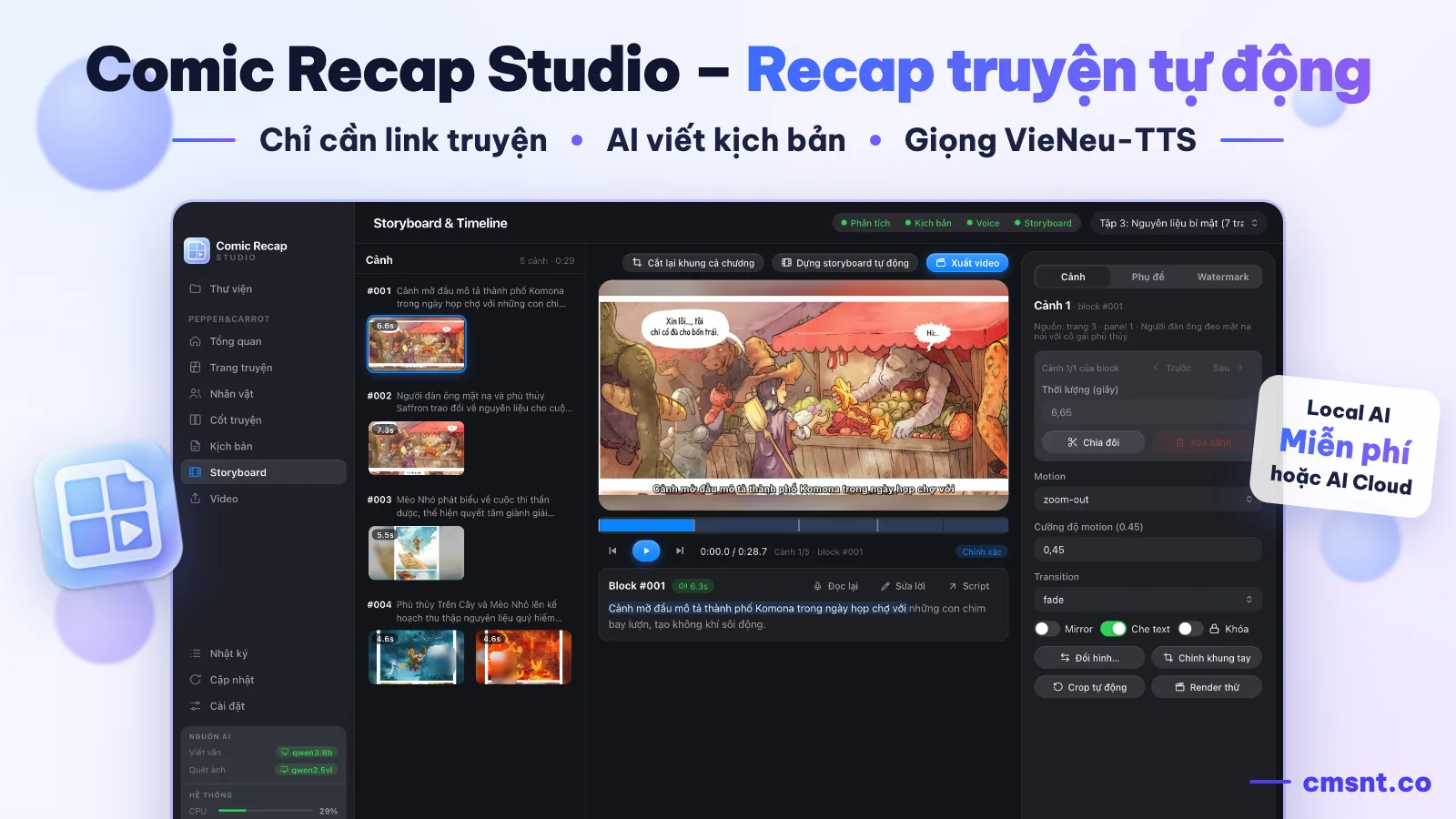
Comic Recap Studio is a desktop app that handles the whole manga, manhwa and manhua recap workflow: AI reads every panel, writes the narration script, voices it with VieNeu-TTS, picks and animates scenes, adds subtitles and a watermark, then exports MP4 videos for YouTube, Shorts and TikTok.
Lifetime licence price
Pay once, use forever. Local AI and the narration voices run free on your machine; API fees apply only if you opt into cloud AI with your own key.
Why recap channels need this tool
A manual recap means reading the comic, writing a script, recording narration, cropping panels and editing video — hours per chapter. Comic Recap Studio packs it all into one app on your machine.
Paste a chapter link and the app downloads every page, removes ad pages, analyses the story and builds the video all the way to the MP4 export.
Local AI via Ollama and the VieNeu-TTS voices run free on your machine with no usage limits; optional cloud AI typically costs the equivalent of a few cents per chapter.
Every AI result is editable: script, character names, panels, crops and motion. Lock the parts you like so later runs never touch them.
From comic link to video
The app works step by step and saves progress along the way: close it mid-run and press Continue later; add new chapters and only the new parts are processed.
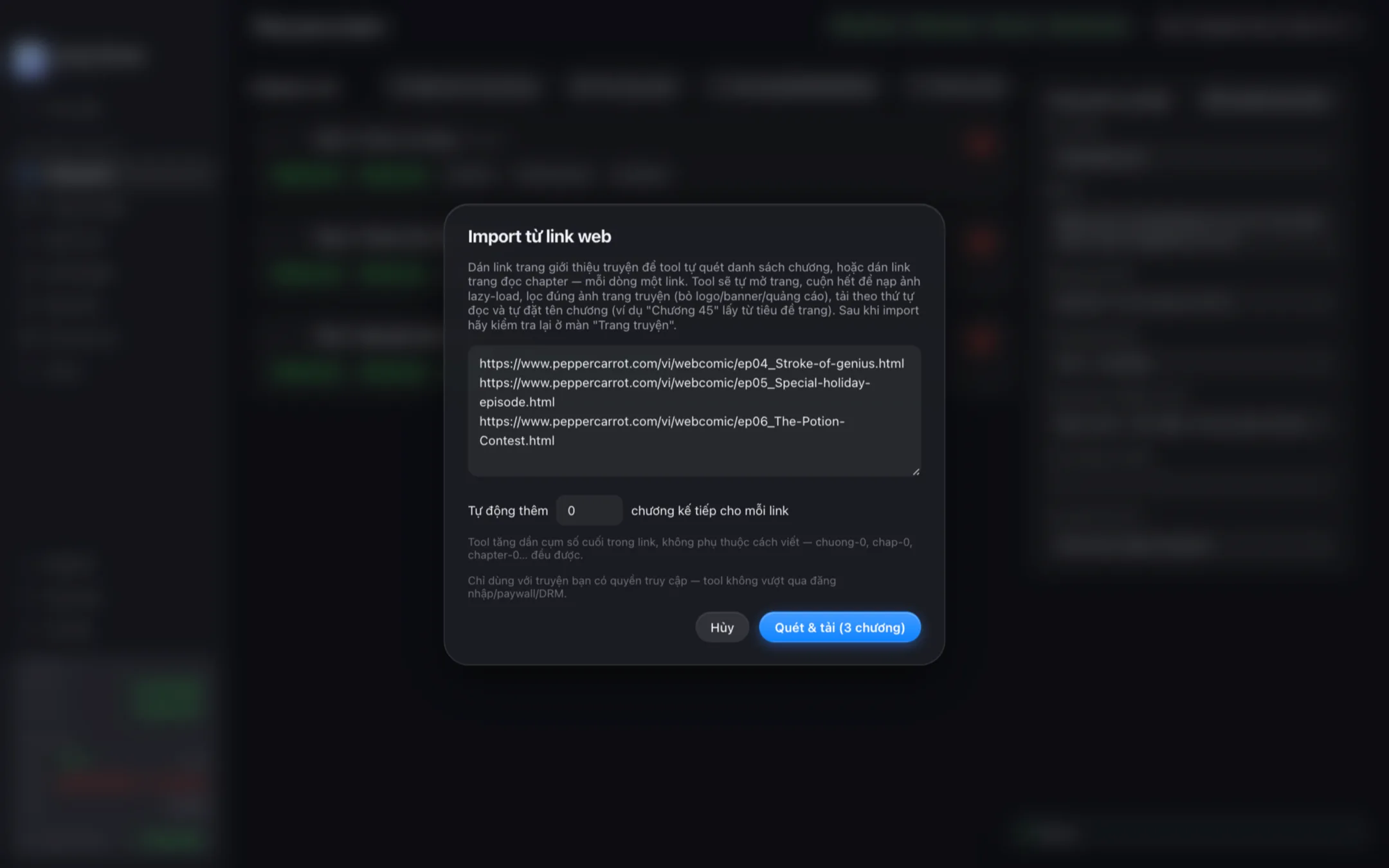
Paste chapter links or a series page link; image folders, ZIP, CBZ and PDF also work. The app grabs every page and drops ads and scanlation banners.
A vision model splits pages into panels in reading order, recognises characters, actions, emotions and dialogue, then arranges events into a timeline.
Each event becomes a natural narration paragraph in the style you choose; a vision-check pass compares narration against the panels to reduce hallucinations.
VieNeu-TTS narrates with one of 25 voices; the app matches each sentence to the best panel, crops it and adds Ken Burns motion and transitions.
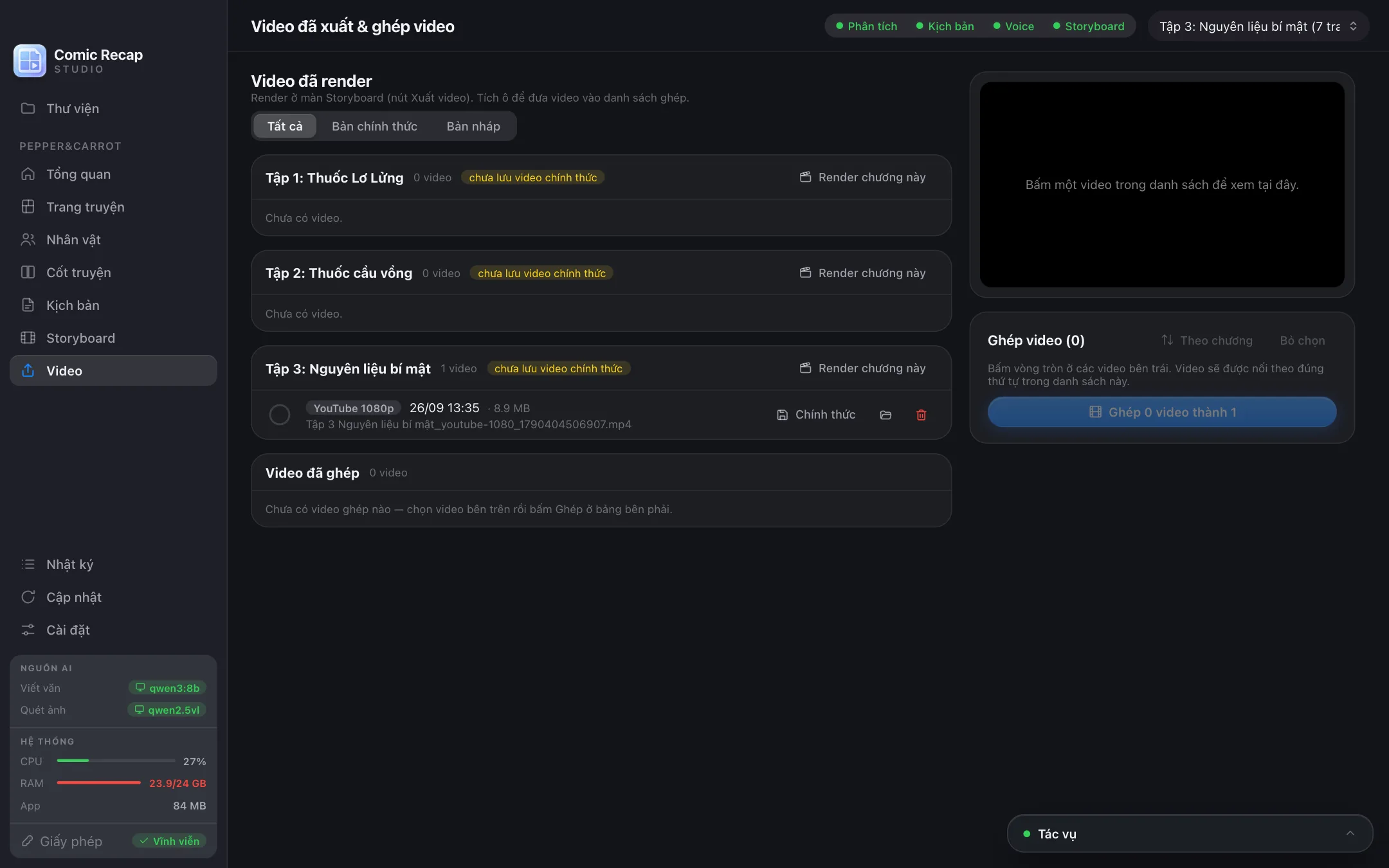
Subtitles follow the narration and a moving watermark deters re-uploads; export presets cover YouTube 1080p/1440p, Shorts/TikTok 9:16 and square 1:1, plus full-series compilations.
Key features
Comic Recap Studio connects importing, AI analysis, scripting, narration, storyboarding and export — no more juggling files between separate tools.
Auto-scrolls pages so lazy-loaded images finish loading, keeps only comic images, names chapters automatically and can scan a whole series for the range you want.
A character and story memory is shared across the series: in new chapters the app recognises returning characters and keeps the narration consistent.
Readable sentences tuned for voice-over; choose a neutral, fast-paced YouTube, cinematic, lightly comedic or fully custom narration style.
25 Vietnamese voices run offline with no per-character fees; adjust speed from 0.6x to 1.6x and keep a per-series pronunciation dictionary for names.
Smart crops around each panel's focal area, 7 Ken Burns motions, 4 transitions and dialogue-bubble censoring; every scene can be edited and previewed individually.
Customisable subtitles, an anti-reupload moving watermark, pre-render quality checks and full-series compilation videos without re-rendering.
Who it is for
Publish multiple chapters a day without hiring an editor or assembling every scene by hand.
Export 9:16 videos and quick 480p drafts to test different series and narration styles before committing.
No editing skills required: open the app, paste a link, tweak a few sentences and your first video is ready.
Produce branded introduction videos for your series with a recognisable watermark that deters re-uploads.
Clear costs & requirements
The listed price covers the lifetime licence. Script quality depends on the AI model you pick: local AI suits powerful machines and zero running costs, while cloud AI writes smoother prose for fees paid directly to your provider.
Pay once with free updates until the product is retired. One licence activates one machine; moving to a new machine is self-service inside the app.
macOS on Apple Silicon or 64-bit Windows 10/11. 16 GB RAM runs local AI comfortably; 8 GB machines can use the light model set or switch to cloud AI.
The app only downloads comics you can access — it never bypasses logins, paywalls or DRM. You remain responsible for content rights and platform policies.
Frequently asked questions
No. It is a desktop app for macOS (Apple Silicon) and Windows 10/11 with a lifetime licence: pay once, use forever, with free updates until the product is retired.
Local AI via Ollama and the VieNeu-TTS voices are completely free and run on your machine. For smoother prose you can enable cloud AI with your own API key (Gemini or any OpenAI-compatible gateway); real-world costs are typically a few cents per chapter.
Manga, manhwa, manhua and vertical-scroll webtoons. Import from reader links, series pages, image folders, ZIP, CBZ or PDF files; webtoons are sliced with overlap so the AI never misses a panel.
It uses VieNeu-TTS running offline with 25 Vietnamese voices across regional accents and storytelling styles. Speed adjusts from 0.6x to 1.6x, and a pronunciation dictionary keeps character names correct.
Yes, at every step: edit any paragraph directly, ask the AI to rewrite it to your instructions, swap panels, adjust crops, lock finished parts and re-voice only the paragraph you changed.
It exports H.264 MP4 with presets for YouTube 1080p and 1440p, vertical 9:16 for Shorts and TikTok, square 1:1 and a fast 480p draft, and merges chapters into one full video without re-rendering.
Watch the real screen-recorded demo, check the system requirements and activate your lifetime licence. Message CMSNT on Telegram or Zalo for advice before buying.