
From topic to finished video
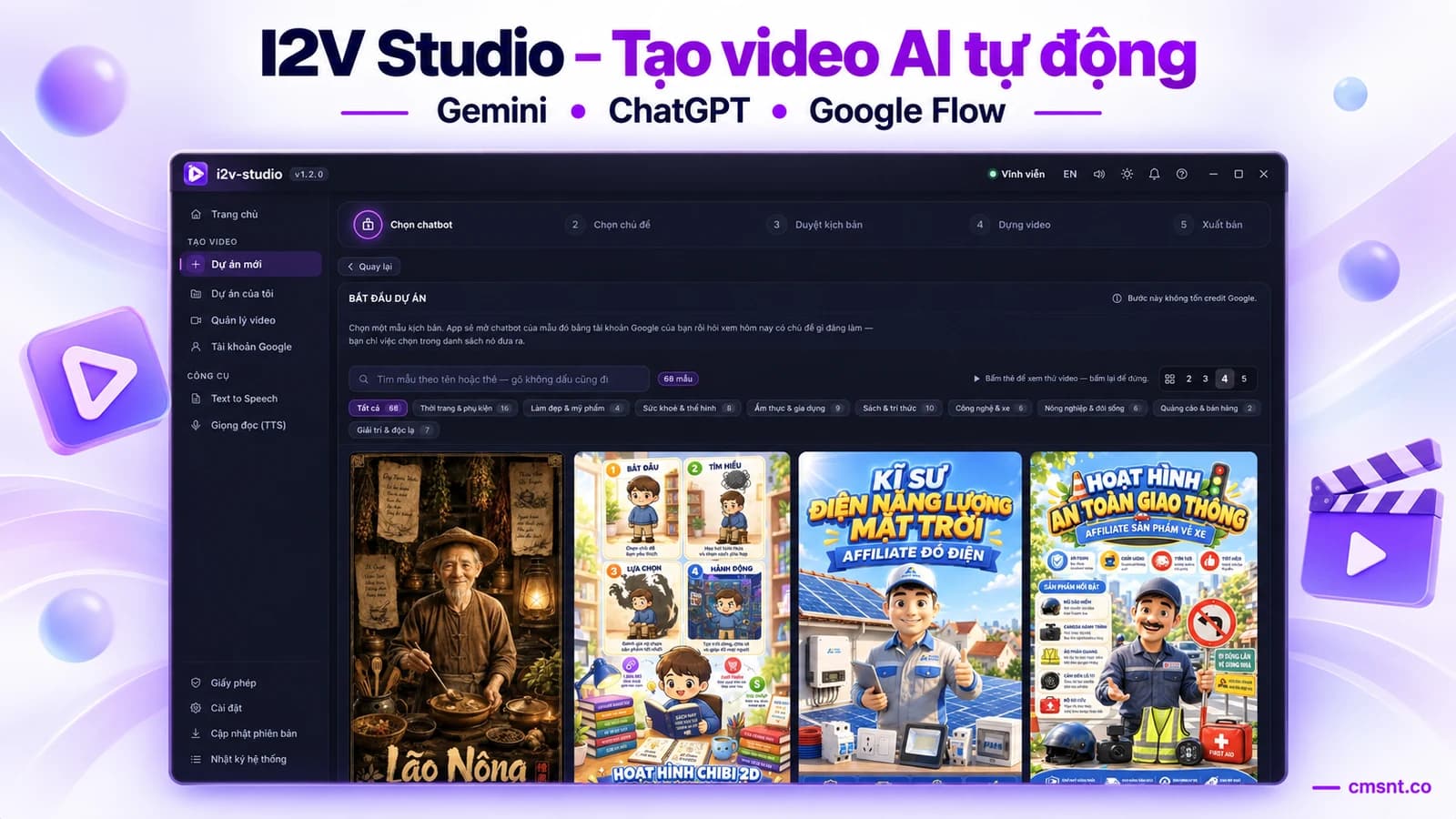
Enter an idea or pick a template; the app builds a scene-based script, generates clips, creates narration, burns in subtitles and assembles the final video.
I2V Studio connects the full workflow on your computer: AI writes the script, Google Flow generates each scene, and the app adds narration, burns in subtitles and assembles a publish-ready video. You approve the content before spending credits and stay in control at every step.
Lifetime licence
Pay once and keep using it; video-generation credits come from your own Google plan.
Get 18 months of Gemini Pro free (1,000 credits each month for creating videos with Google Flow) when you purchase I2V Studio during the promotion.
A 1-minute video costs only about 70–90 credits (depending on the model and number of scenes).
One workflow instead of disconnected tools
Instead of moving work manually between a chatbot, Google Flow, voice tools, subtitle tools and an editor, you manage the entire project inside one desktop application.
Enter an idea or pick a template; the app builds a scene-based script, generates clips, creates narration, burns in subtitles and assembles the final video.
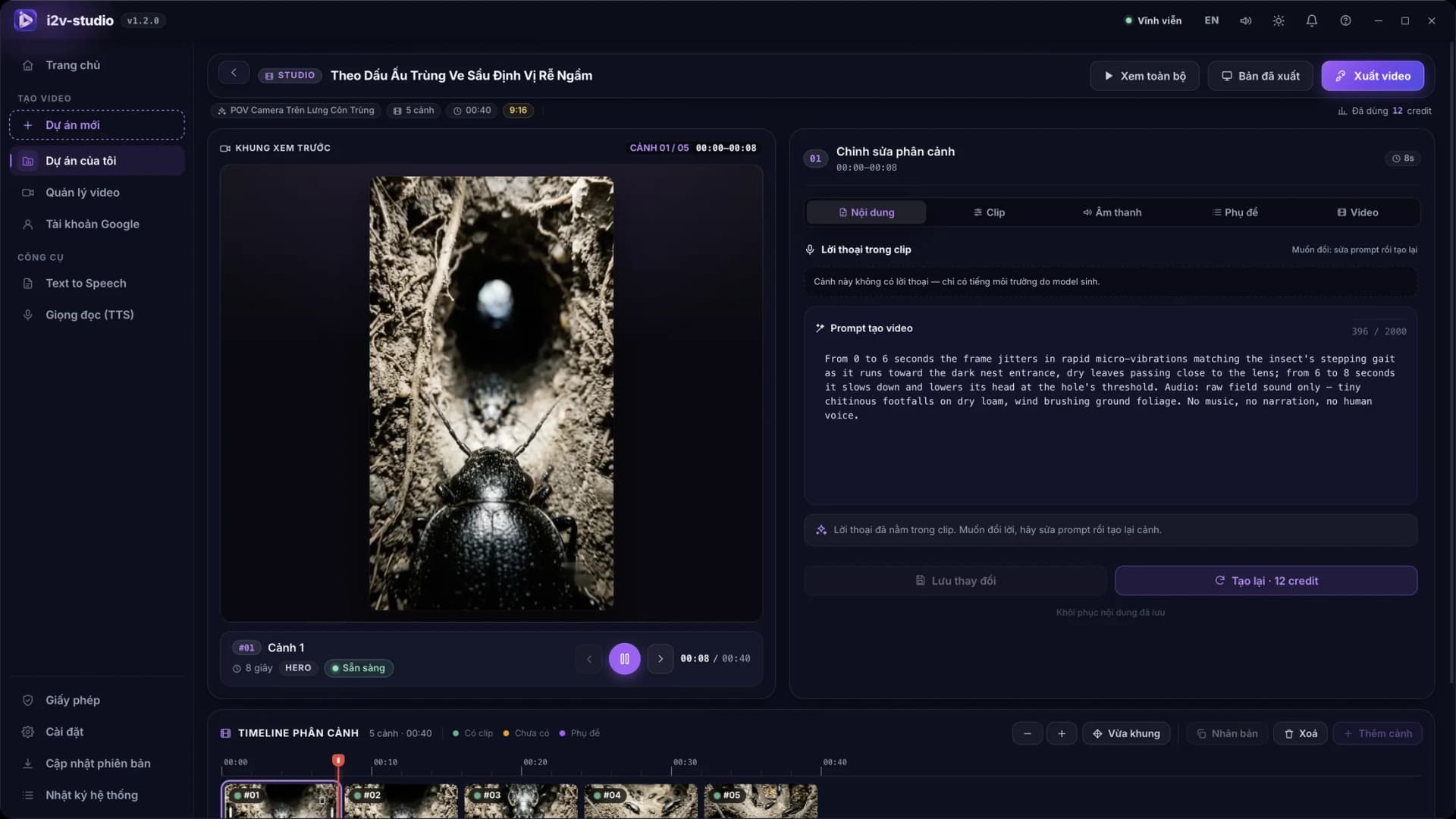
Review the script, prompts, images and estimated credits first. If one scene falls short, edit and regenerate only that scene.
You sign in to Google yourself in a dedicated Chrome window; projects, sessions and exported videos remain on your device.
A reviewable workflow
Every stage gives you a checkpoint. I2V Studio only proceeds to video generation after you have reviewed the script and chosen the right configuration.
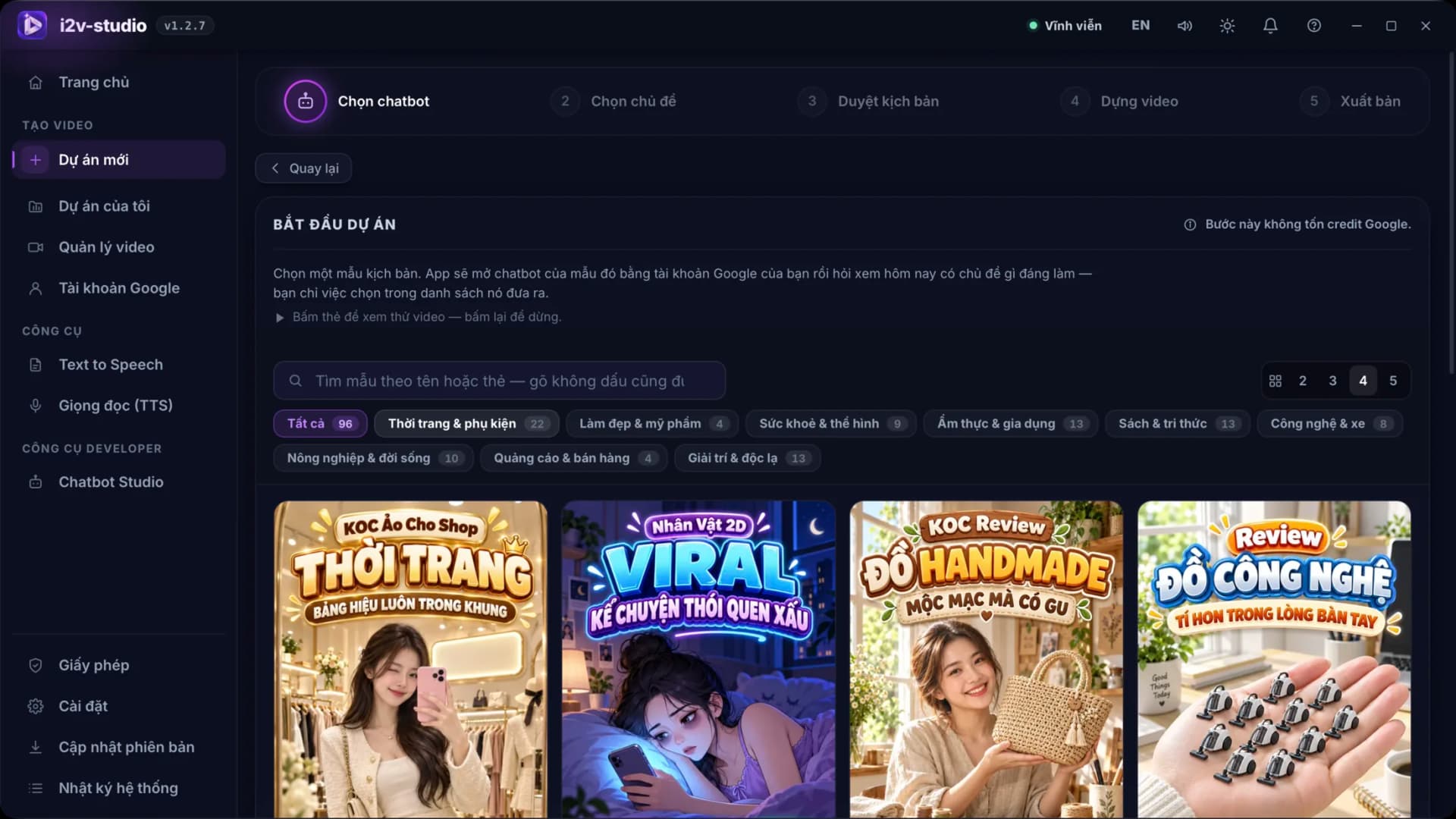
Start quickly with 96 industry templates or bring your own topic.
Ask the chatbot for relevant ideas or type the subject you want to develop.
Check narration, prompts, characters and every scene before credits are spent.
Generate clips through Google Flow, review the output and rerun only a weak scene.
Add narration, synchronise subtitles, assemble the scenes and export the finished video.
Key features
The feature set focuses on two goals: removing repetitive operations and keeping you in charge of quality before publishing.
Templates for fashion, beauty, health, food, books, technology, direct-response sales and many more content niches.
Generate scenes with the models supported by the app and see the available choice and credit level before starting.
Preview every scene's keyframe, refine its prompt or reference images, and only then generate motion.
Edit narration, prompts, clips, sound and subtitles for the exact scene that needs a change without rebuilding everything.
Use Edge, CapCut, Piper, VieNeu or ElevenLabs depending on the quality, language and operating model you need.
Each account has its own Chrome profile and can run in parallel when your computer has enough resources.
Practical use cases
Build a repeatable workflow for YouTube, TikTok, Facebook Reels or faceless content channels.
Produce product reviews, promotional videos and niche content from ready-made templates.
Standardise scripts, characters and visual styles so a series of videos keeps the same identity.
Manage several projects, reuse proven workflows and revise individual scenes after client feedback.
Transparent costs
The I2V Studio licence and video-generation credits are separate. The app does not resell credits or charge for each exported video.
One lifetime licence for one computer; release it from the old machine and activate it again when you move.
Use credits from a Google AI Pro or Ultra plan on an account that you own and sign in to yourself.
Receive bug fixes and new features at no extra cost throughout the product's lifecycle.
Frequently asked questions
I2V Studio is a desktop application that automates AI video production: it writes a script, generates scenes through Google Flow, adds narration and subtitles, and assembles a finished video.
No. Google Flow is Google's content-generation platform. I2V Studio is an orchestration layer running on your computer that uses your Google account to automate the production steps inside Flow.
The software licence and Google credits are separate. Credits come from your Google AI Pro or Ultra plan; any current promotion that includes a Google plan is stated clearly on the product page.
No. You sign in yourself inside the Chrome window opened by the app. CMSNT does not ask for your password, and the session and project data stay on your computer.
Yes. The scene workbench lets you edit its prompt, narration, clip and subtitles, then regenerate that scene while keeping every approved scene unchanged.
It works well for storytelling, product reviews, affiliate videos, educational content, animation, virtual KOC content, life hacks and many short- or long-form formats covered by its templates.
It is a lifetime licence for one computer. When you change machines, you can release the old activation and activate the licence again on the new computer inside the app.
Review the full specifications, interface screenshots and real demos before ordering I2V Studio. If you are unsure about computer requirements, Google accounts or the workflow, contact CMSNT for practical guidance.