CHATHUBMMO source codeNew

ChatHub – Omnichannel chat management & drag-and-drop bots with AI

Manage conversations across channels in one inbox. Design bots visually or ask AI to help build workflows around your needs.

ChatHub – Omnichannel chat management & drag-and-drop bots with AI

About this source code

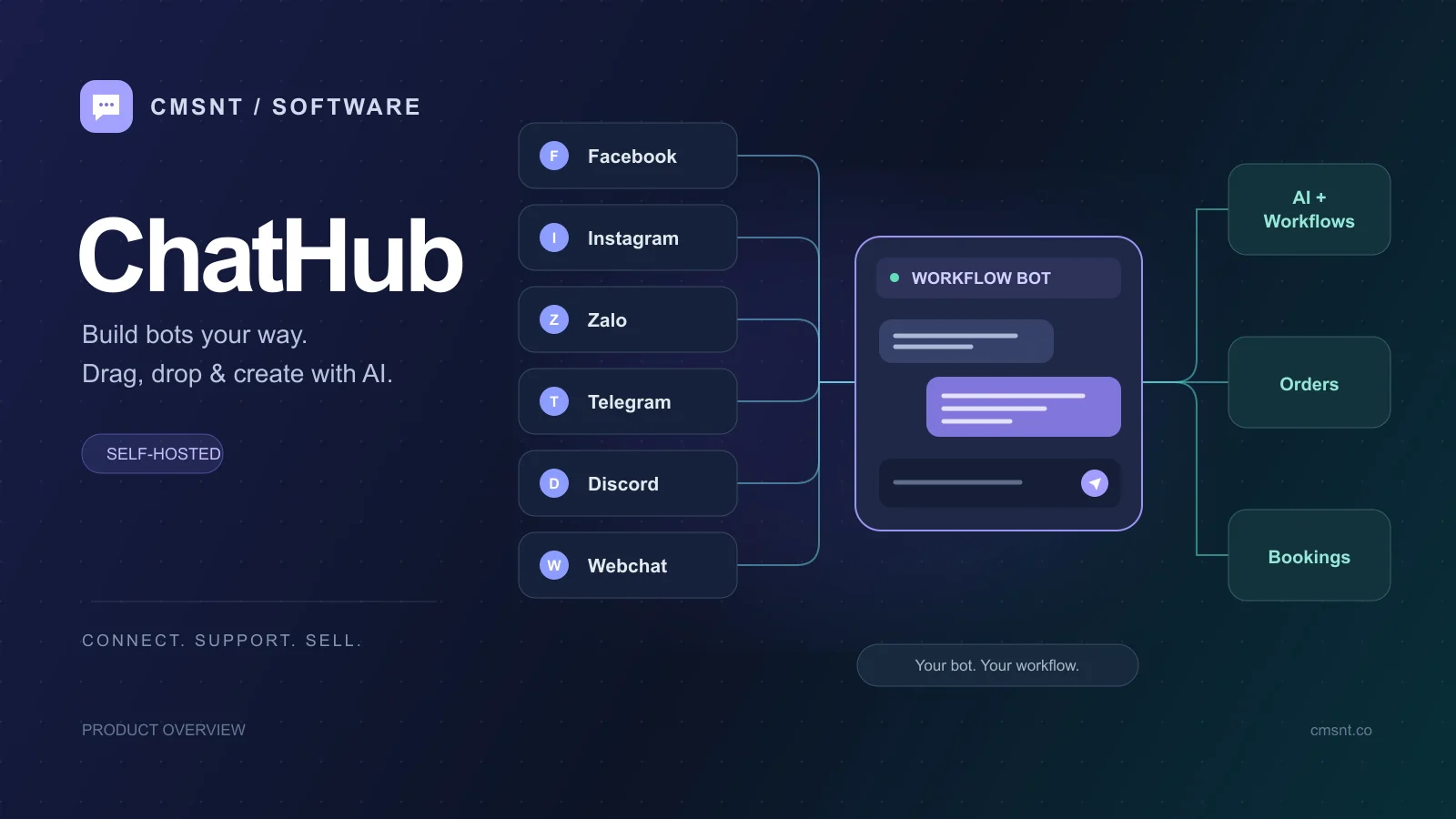
ChatHub combines an omnichannel inbox with drag-and-drop bot creation and AI assistance. Bring Facebook Pages, Zalo, Telegram and website messages together so your team can follow, assign and reply to conversations. Design how your bots interact with customers around your own processes.

Build a flow yourself, use a template or describe the task to AI to help create steps. Collect customer details, answer questions using your documents, handle support requests, book appointments or process orders. Review and edit AI-created steps before saving and enabling the workflow.

The automated digital product sales bot is one example from the template library. Combined with the Facebook Pages, Zalo, Telegram and website inbox, ChatHub supports consultation, customer care and operations for shops, service teams and businesses.

Demo video

See ChatHub in action: omnichannel inbox and AI-assisted bot building

A screen recording of real usage in ChatHub: replying to customers in the omnichannel inbox, creating a workflow from the template library, reviewing the drag-and-drop diagram and asking the AI Agent to add more bot steps. The interface in the recording is in Vietnamese.

Build bots your way: drag-and-drop workflows and AI-assisted steps

Workflows are ChatHub’s core strength. Connect message, menu, question, condition, product sale, top-up, API, AI and agent handoff steps on a visual canvas. Branches describe what happens after a customer choice or a failed step.

Describe the starting situation, the task and the desired outcome to AI. It reads the workflow draft and conversation to help propose and create suitable steps. Continue the discussion, review the diagram and edit the steps before saving. Configure an AI provider first.

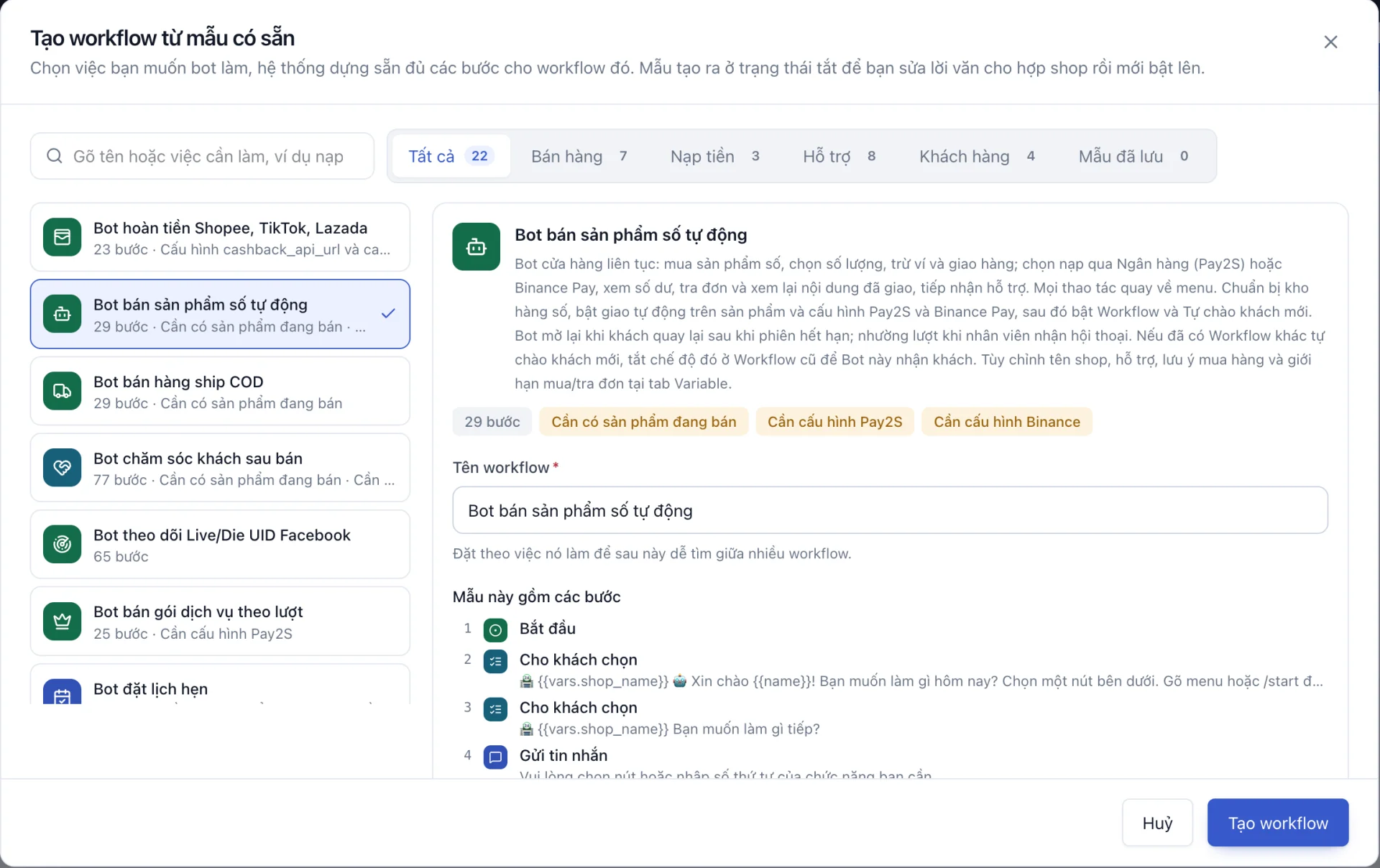
The template library covers digital product sales, COD orders, after-sales care, top-ups and appointments. Creating from a template builds the steps and leaves the workflow disabled so you can review content and configure services before enabling it.

Customise greetings, menus, branches and shared variables for your business. Extend the template with information collection, external API calls or a handoff to your team.

ChatHub Create workflow from template dialog with the automated digital product sales bot selected
Create a workflow from a ready-made template: select the digital product sales bot to review its description, setup requirements and prebuilt steps.

Example use case: an automated digital product sales bot

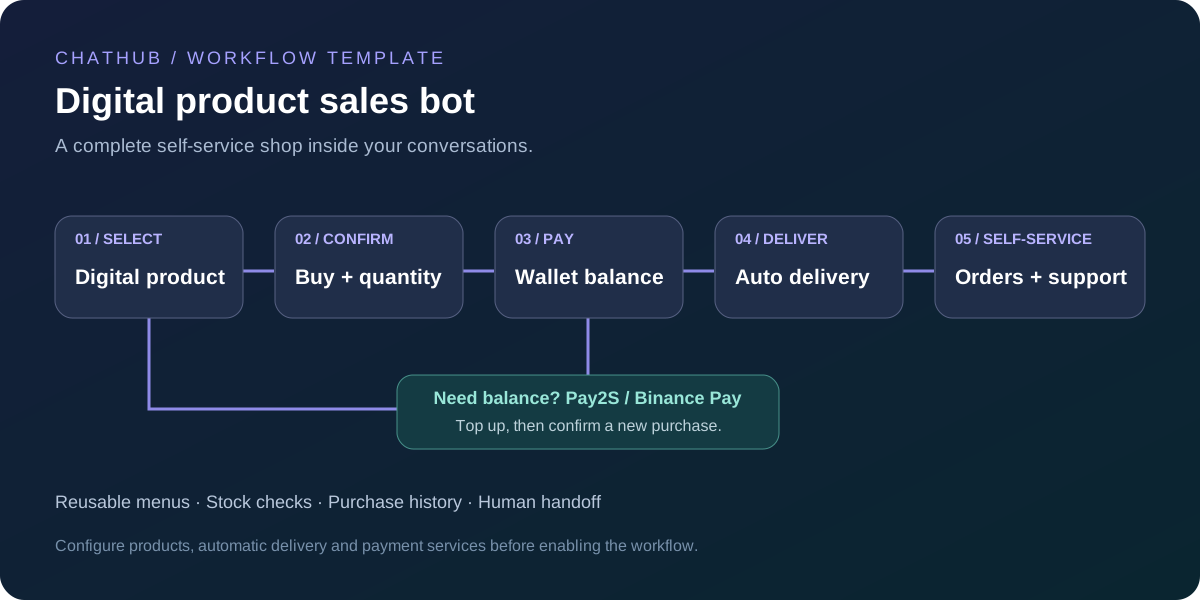
The automated digital shop template creates a store inside chat. Its menu includes purchases, top-ups, balance, orders, guidance and support. Customers choose a digital product, confirm their purchase and enter a quantity; the bot charges the wallet, delivers according to the product settings and returns them to the menu.

Insufficient balance leads to bank top-up through Pay2S or Binance Pay. A top-up only credits the wallet: customers choose and confirm a new purchase themselves. Out-of-stock branches offer another product, while other failures lead to support. Customers can also look up recent orders, check their status and retrieve delivered content.

Prepare digital stock, enable automatic product delivery and configure the template’s Pay2S/Binance Pay integrations. In the Variable tab, customise shop name, support contact and hours, purchase notes, quantity limits and order history limits. Test the flow, then enable the workflow and its new-customer greeting; disable that greeting on any competing workflow.

Self-service actions return to the menu. The bot can restart when a customer returns after the session expires and yields when an agent takes over, combining automated sales with human assistance.

Digital shop bot flow: selection, confirmation, wallet payment, delivery and order lookup
Overview of the digital shop bot. After a top-up, the customer actively confirms a new purchase.

One shared inbox for Facebook Pages, Zalo, Telegram and your website

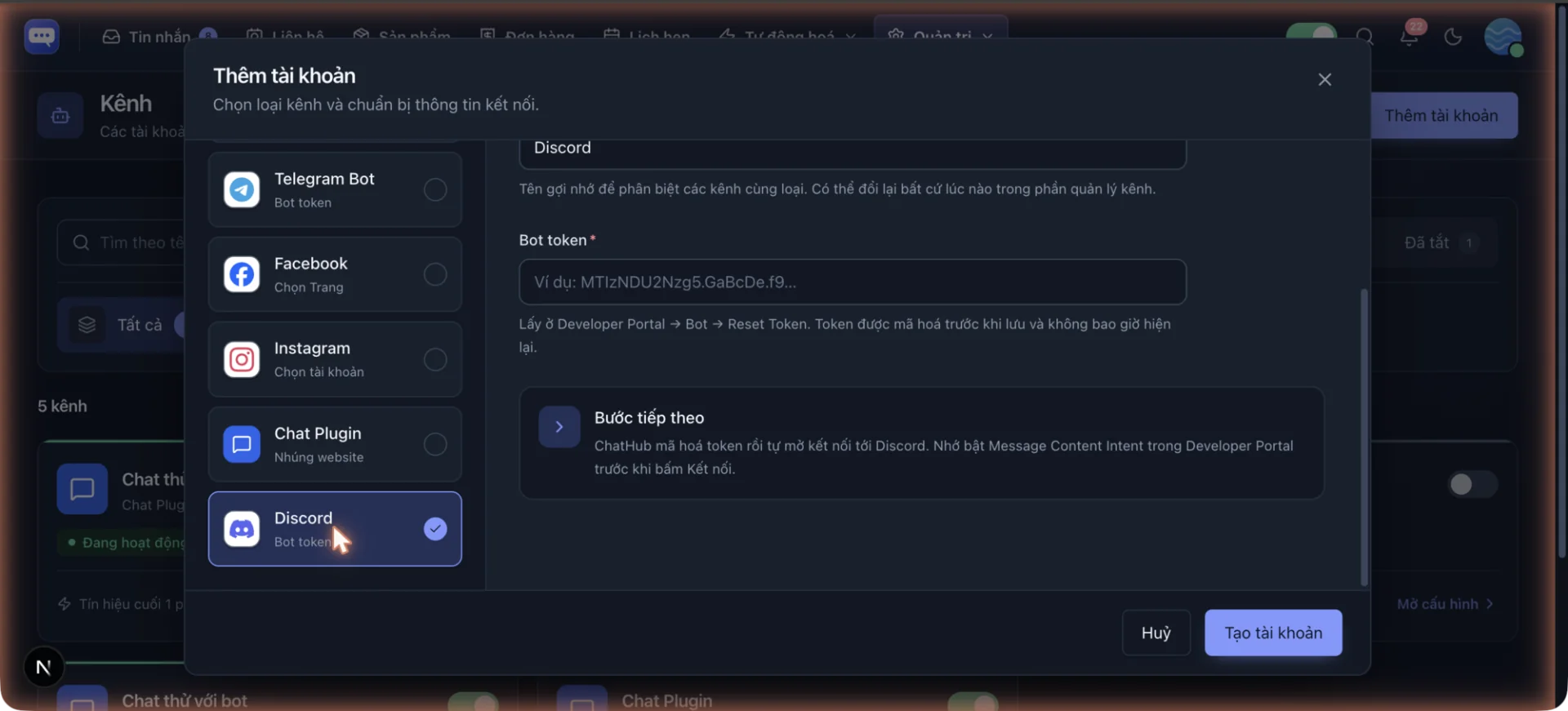
ChatHub supports Facebook Pages, personal Zalo, Telegram Bot, personal Telegram and the website Chat Plugin. Messages from connected accounts appear in one system so agents can work together while keeping track of each conversation’s channel.

Connect Facebook Pages to bring messages sent to your page into the shared inbox. Your team can follow and reply to Page conversations alongside other channels in ChatHub, making it easier to serve customers who contact your business in different places.

Inside a conversation, agents can add tags and internal notes, assign an agent or team, and update customer profiles. Agents can take over from the bot for individual support. The website Chat Plugin also supports images, files and a pre-chat contact form.

ChatHub conversation with customer profile, internal notes and bot handoff
Conversations, customer profiles, bot status and assignment appear side by side.

Live chat on your website: help customers when they need it

Embed the Chat Plugin script on your website to add a support button. Visitors can open the chat and ask questions without leaving the page, sending text, images or files. Customise colours, the title, greeting and launcher position to fit your brand.

Messages arrive in the shared ChatHub inbox for agents to receive, assign and answer. Replies appear in the widget without a page reload, and history is retained for the visitor session so customers can continue when they return. Optional settings include a pre-chat contact form and multiple conversations.

Connect live chat with configured workflows to welcome customers, offer a consultation menu or hand the conversation to an agent. Your website becomes another entry point into the same customer service and sales process.

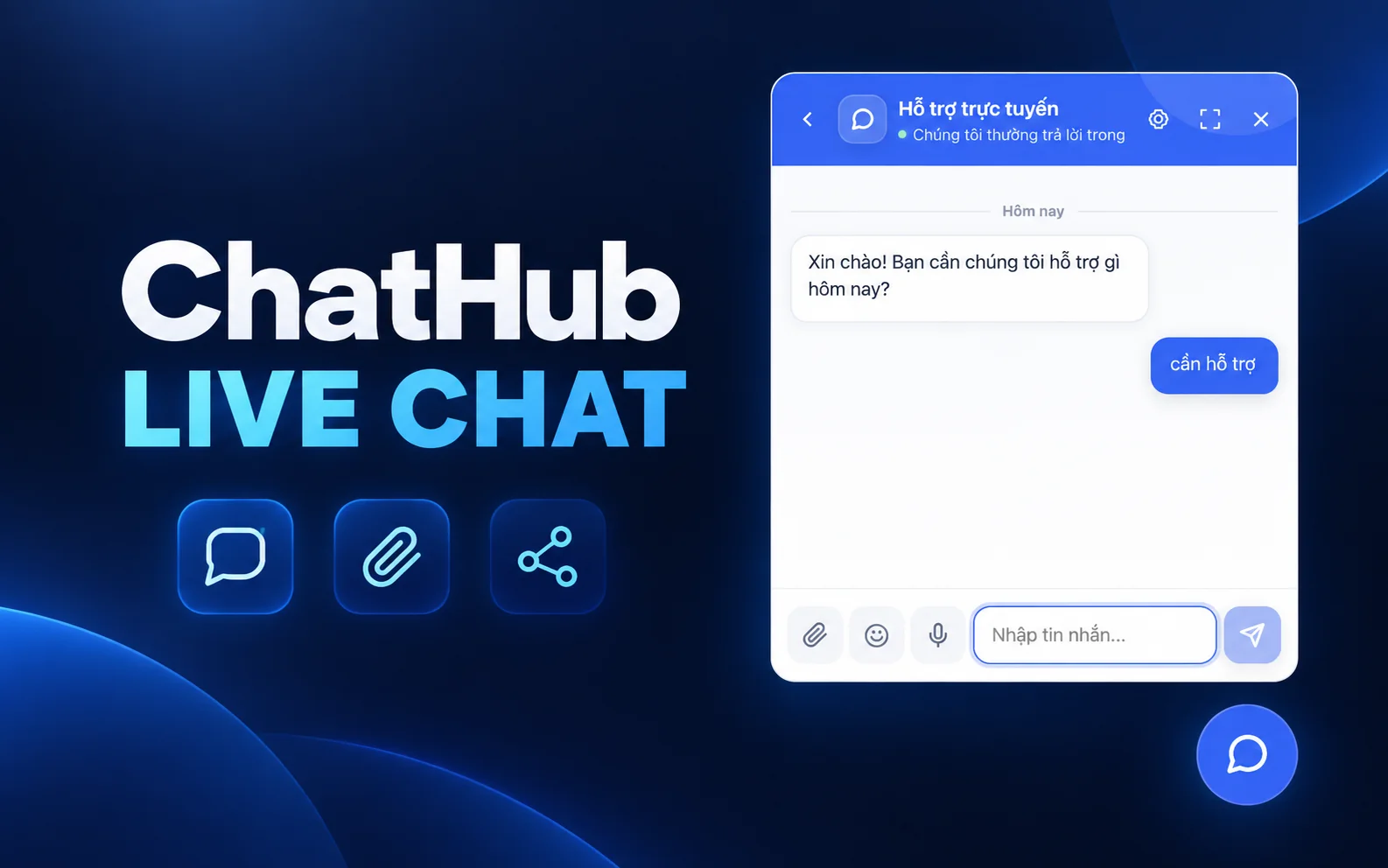
ChatHub Live Chat promotional composition with the support widget and sample messages
Promotional illustration of ChatHub Live Chat. The original interface screenshot is available in the gallery below.

AI Agent: automated assistance using your knowledge and workflows

Add a “Reply with AI Agent” step to a workflow so the bot can compose and send replies to customers. AI reads your instructions and recent messages to continue the conversation in context. Configure the step to wait for an answer to support multi-turn conversations.

Choose which knowledge sources AI can use: product catalogues, prices, saved replies, help documents or orders belonging to the customer in the conversation. For example, product questions can be answered using your configured catalogue and documentation. Response quality depends on the supplied data and selected model.

When a conversation needs a specific action, AI Agent can select an enabled workflow from your permitted list, such as a purchase or top-up flow. Combine human handoff steps and error branches in the workflow so your team can handle cases requiring direct assistance.

Before enabling it, configure the AI provider, model and API key in Settings, prepare knowledge sources and instructions, and test conversation scenarios. AI usage is paid directly to your provider. Inbox AI suggestions remain drafts for an agent to review and send.

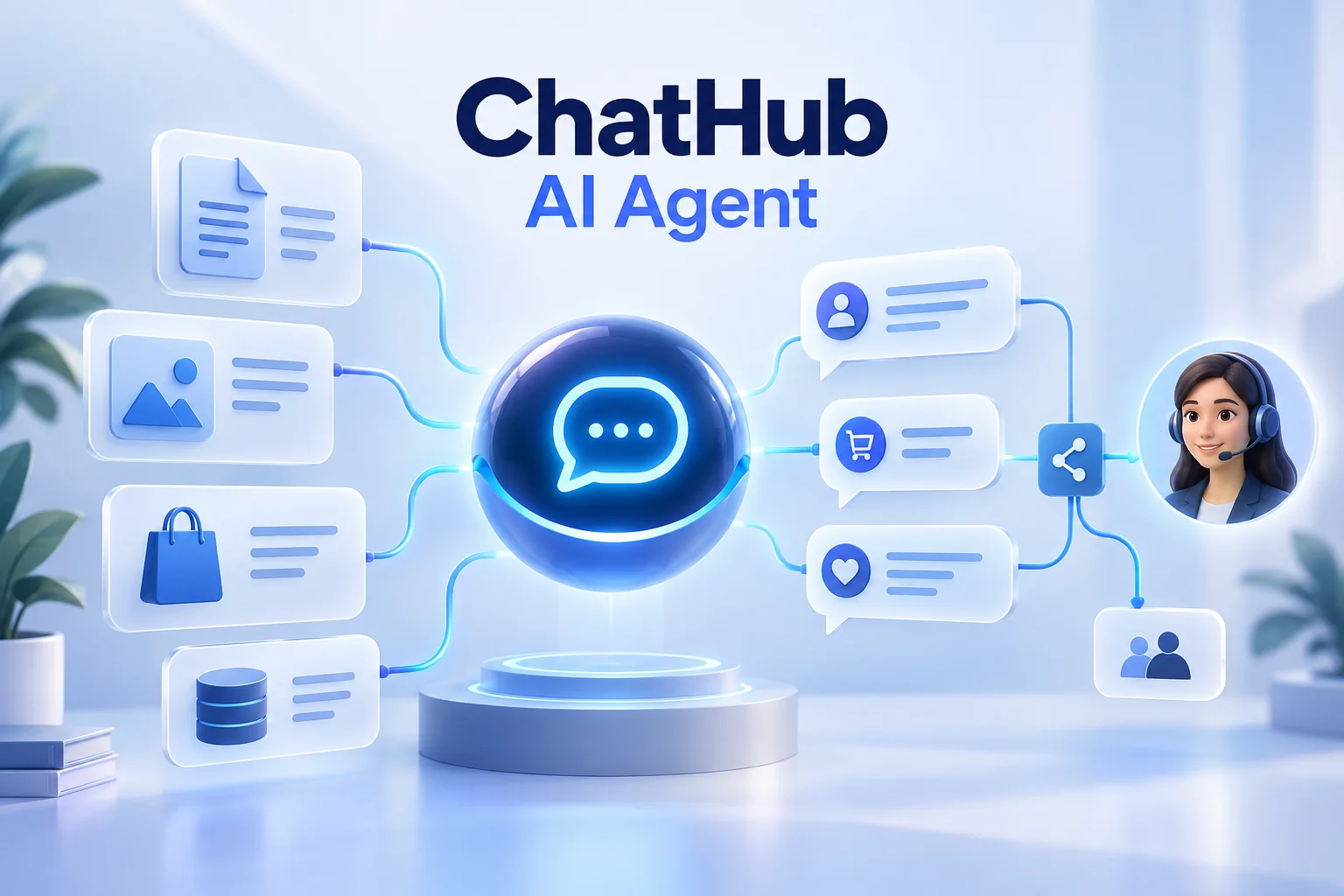
ChatHub AI Agent illustration connecting documents, product data and conversations with workflows and human support
AI Agent feature illustration: instructions, knowledge and context inform replies, with handoff through configured workflows. This is a conceptual illustration, not an interface screenshot.

AI reply assistance grounded in your shop’s context

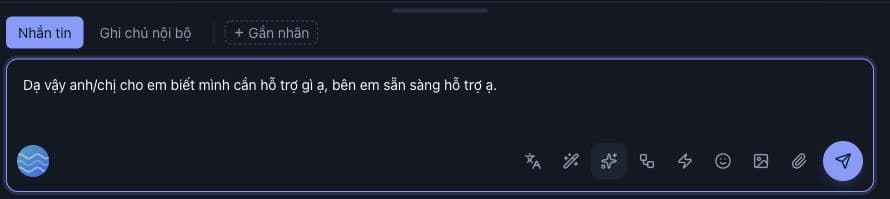
Agents can request a draft based on conversation history and configured knowledge sources such as prices, products and documents. The suggestion appears in the composer for review before sending. Rewriting helps polish an existing draft, while message translation helps agents communicate across languages.

An AI Agent step within a workflow can respond using selected instructions and data sources. Settings cover AI providers, knowledge documents and website content collection. Results depend on the model, knowledge and configuration; an AI service must be configured before use.

AI reply draft in the ChatHub message composer
Inbox suggestions remain drafts until an agent reviews and sends them.

Appointments for consultation and service teams

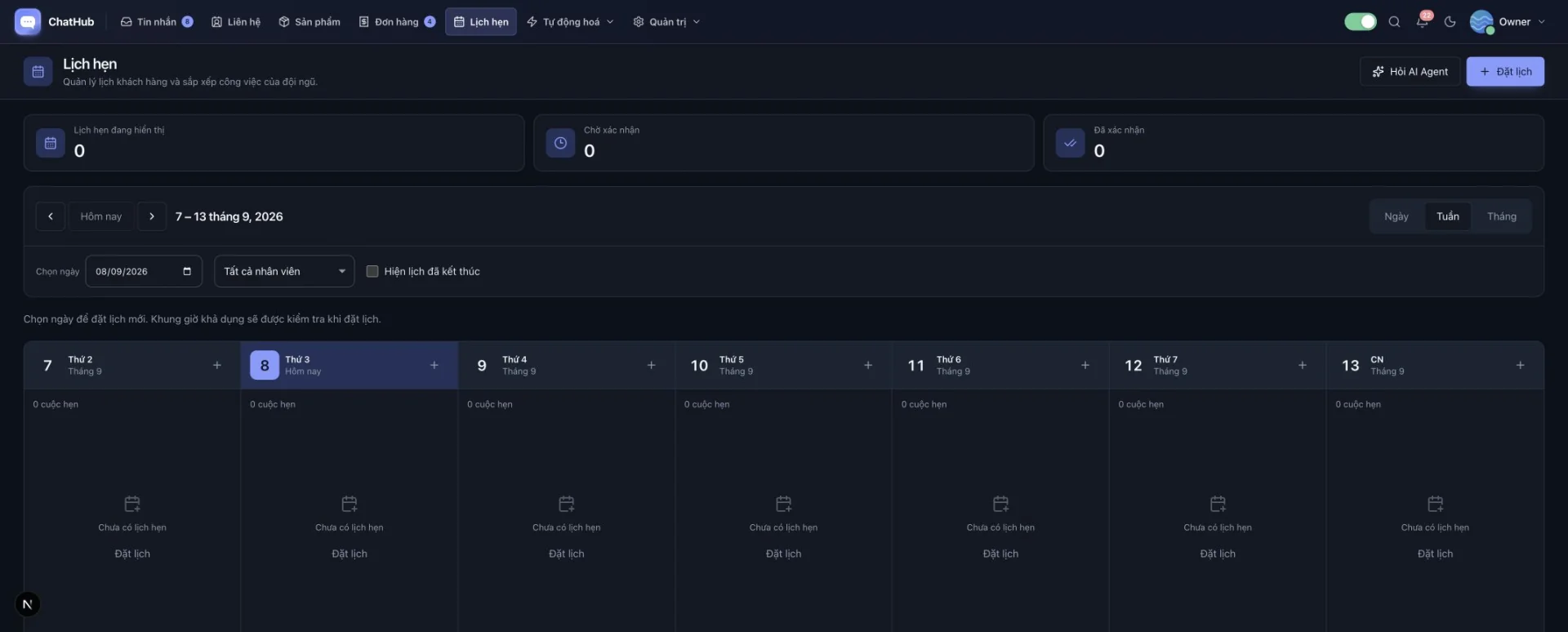
Appointments include day, week and month views, agent filters and pending or confirmed states. Working hours and exceptions let the system check slot availability when making a booking.

Appointment steps in workflows bring booking into the conversation. This helps service teams turn an enquiry into a specific appointment and track their schedules in the same system.

ChatHub weekly appointment calendar with agent filters
Switch between day, week and month; this illustrative weekly calendar has no appointments yet.

Follow up with customer groups and monitor team performance

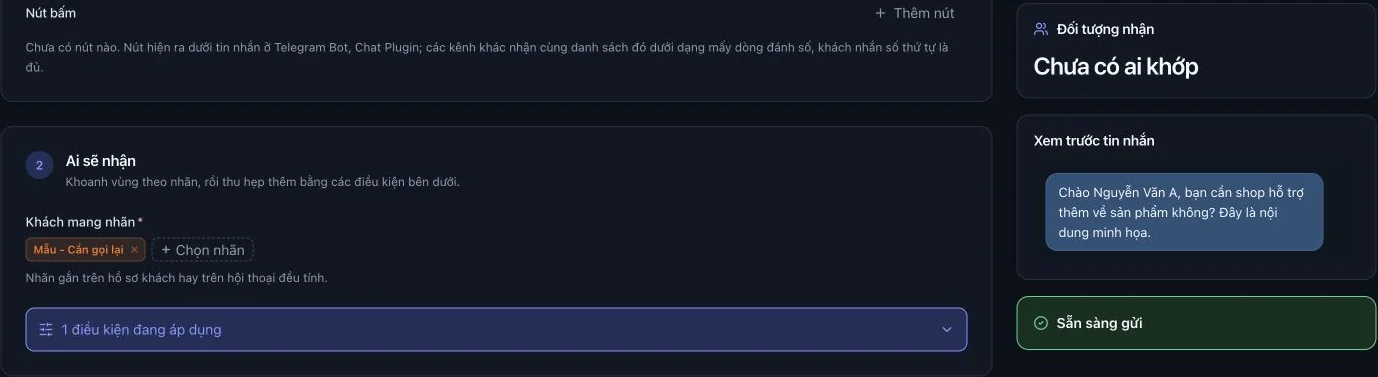
Campaigns let you select customers by tags and conditions, personalise messages with variables, preview content, send a test and schedule delivery. Teams can prepare relevant follow-ups for a chosen audience.

Reports cover conversations, messages, contacts, appointments, response speed, agent activity, automation and AI usage. Combined with roles, team management and activity logs, these views help operators track workload and refine their service.

Campaign audience selection by tag and personalised message preview
Filter recipients, add conditions and review the message before sending a campaign.

What you need to run the website

  • A server/VPS running Node.js 22 or later, MySQL 5.7 or MariaDB 10.2 or later, and Redis; keep the web, API and worker processes running.
  • A public HTTPS domain for webhooks and the website Chat Plugin.

Key features

  • Build custom bots with visual workflows, menus, conditions and variables
  • Ask AI to create workflow steps, then review and edit the diagram
  • Templates for consultation, support, appointments, sales and after-sales care
  • Shared inbox for Facebook Pages, personal Zalo, Telegram Bot, personal Telegram and Chat Plugin
  • Customer profiles, tags, custom fields, internal notes and conversation assignment
  • Quick replies, message translation, AI suggestions and draft rewriting
  • AI Agent with configured knowledge sources and conversation history
  • Visual workflows, menus, conditions, API calls and agent handoff
  • Product catalog, digital key stock, service orders and orders from chat
  • Customer balances, transaction history, Pay2S and Binance Pay integrations
  • Service subscriptions and a cashback bot through an external API
  • Day/week/month appointments, working hours and available slots
  • Audience-based campaigns, personalised messages and scheduled delivery

Website administration features

  • Manage channel accounts and customise the Chat Plugin
  • Manage agents, teams, roles and access permissions
  • Reports on operations, response speed, agents and AI usage
  • Configure AI, knowledge documents, SMTP and integrations
  • Manage media, activity logs and system settings
  • Vietnamese/English interface with light and dark modes

Technology used

Next.js + NestJS + TypeScript + MySQL/MariaDB + Prisma + Redis

Interface screenshots

Please note

  • Originally 3,000,000 VND, now 1,500,000 VND.
  • The source code is licensed for lifetime use and keeps receiving updates until the product is discontinued.
  • Support is provided to the original purchaser only, not to third parties.
  • Support lasts for up to 2 years.
  • Budget separately for hosting, domains, AI and integrated services.
  • Detailed user documentation is included.
  • This page combines ChatHub screenshots with sample data and captioned feature illustrations; the interface may vary by version and configuration.
  • Because of the nature of digital products - the licence key is delivered and usable immediately after payment - we do NOT issue refunds once a licence has been granted, except where a technical fault in the product cannot be resolved by us within a reasonable time.
  • Service policy: read it here.

Related products

Start your project

Ready to automate your online business?

Talk to CMSNT for a product recommendation, an in-depth demo and free initial setup.

Needs-based adviceFree live demoResponsive support