
Keep every conversation visible
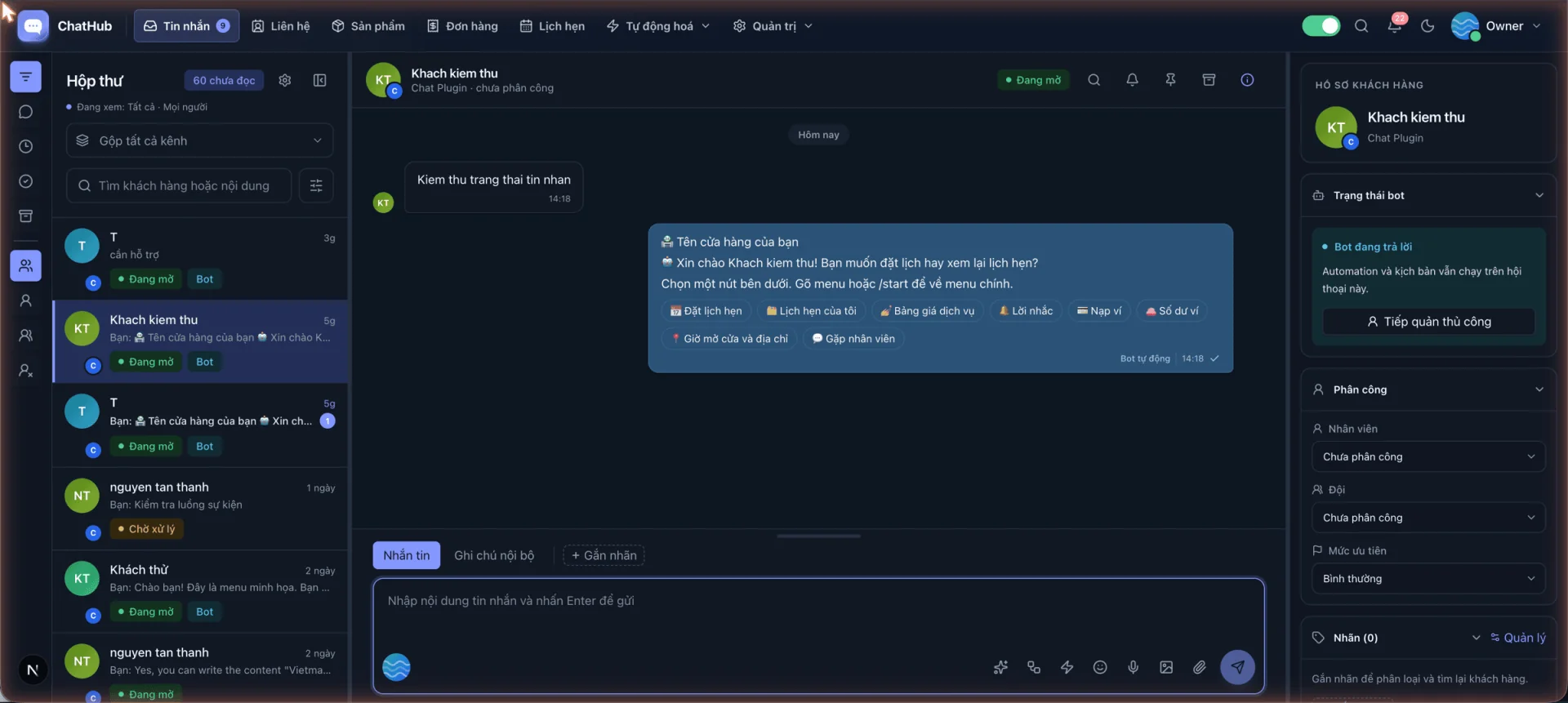
Track several channels on one screen while preserving the source and current status of every customer conversation.
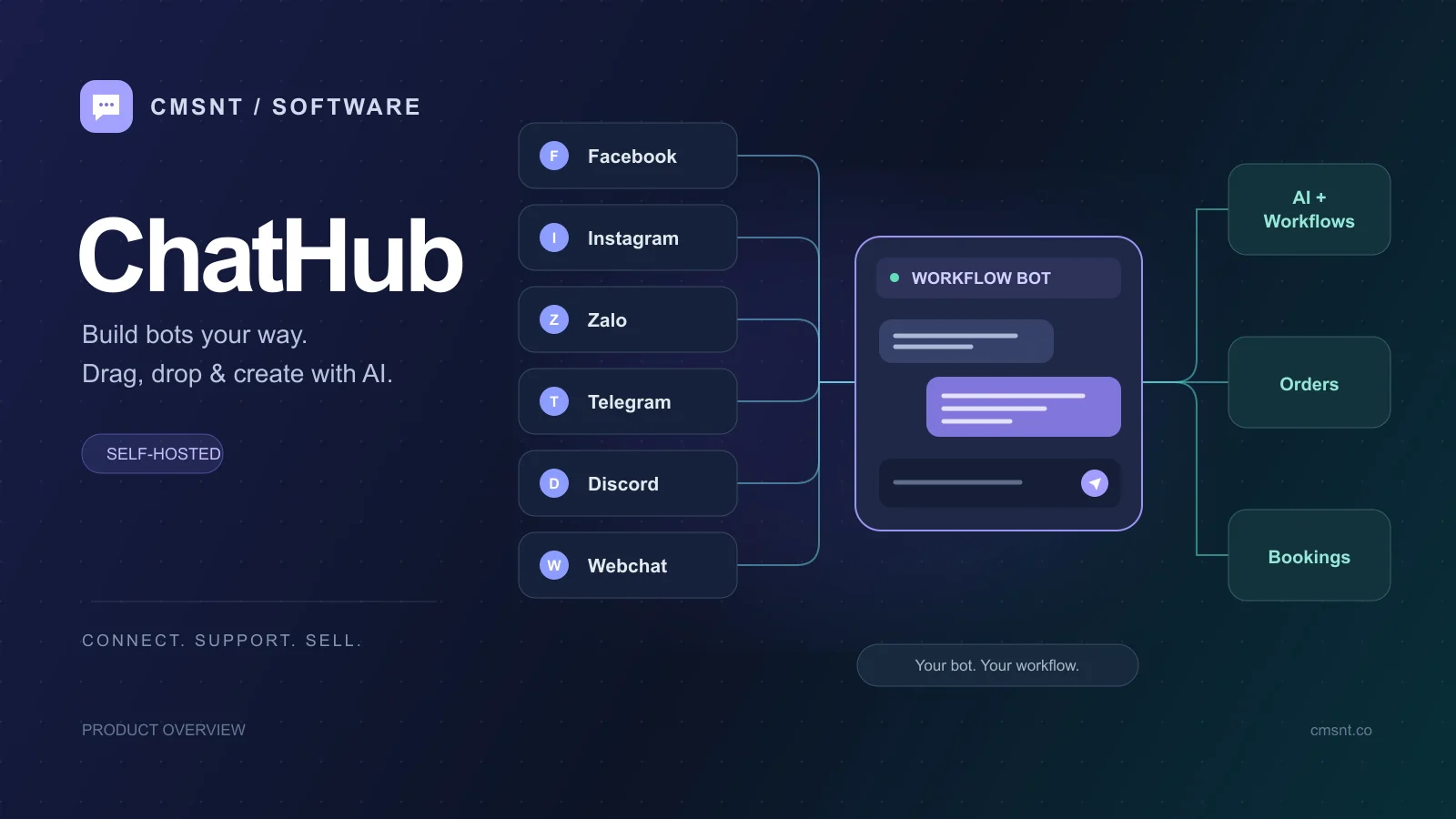
ChatHub unifies Facebook, Instagram, Zalo, Telegram, Discord and website Live Chat so your team can work together. Automate repetitive journeys with visual workflows, ready-made templates or AI agents grounded in your business data.
Complete source code
VPS, domain, AI usage and third-party integration costs are not included.
Remove fragmentation from customer care
Messages no longer sit across individual devices and staff accounts. ChatHub brings conversations, customer records and operating procedures into one workspace.
Track several channels on one screen while preserving the source and current status of every customer conversation.
Assign staff, apply labels, add internal notes and retain history so the next agent understands the full context.
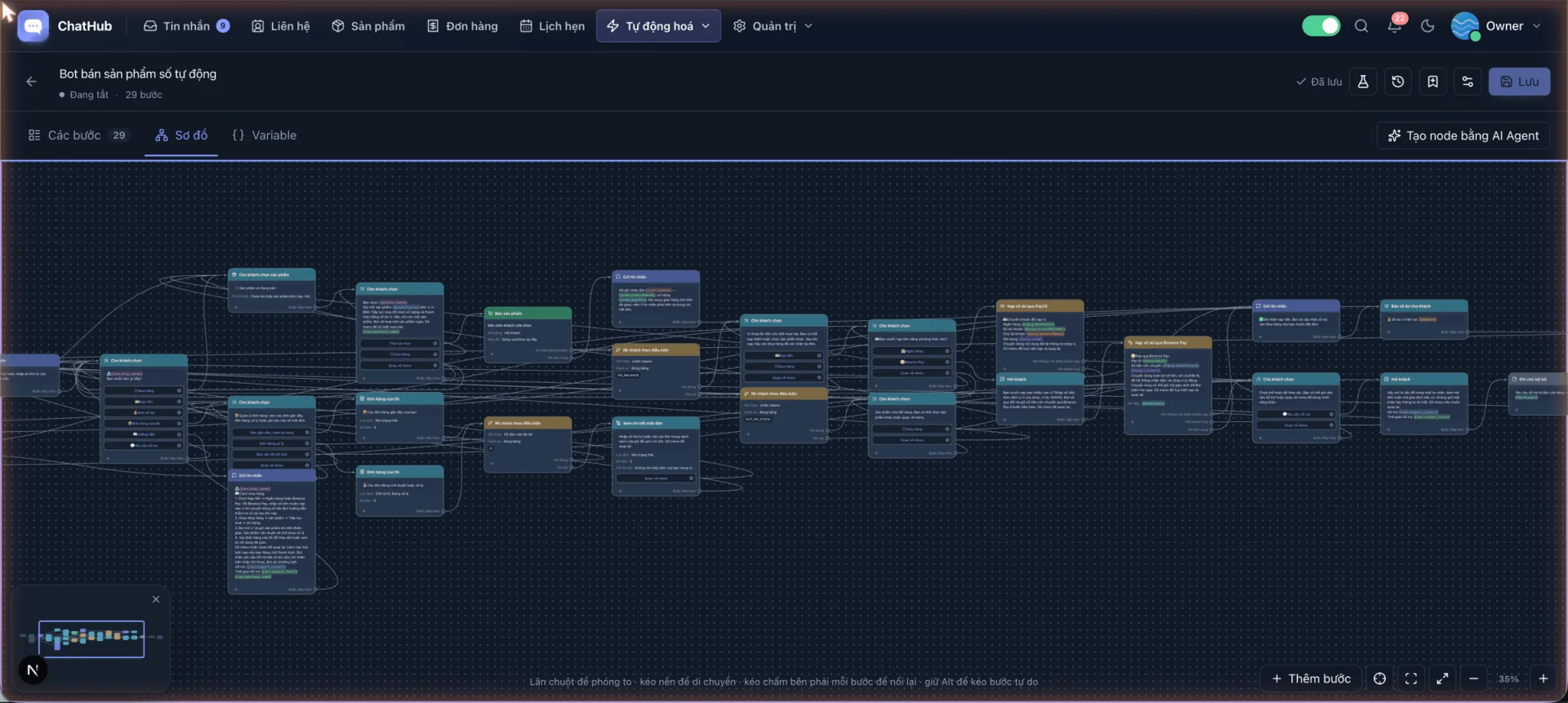
Connect menus, conditions, data, APIs, AI and human hand-off steps on a visual workflow canvas.
From messages to an operating workflow
Start with the busiest channels, standardise how the team responds, then automate recurring questions and tasks one process at a time.
Bring Facebook Pages, Instagram, Zalo, Telegram, Discord or website Live Chat into the system.
Create agents, roles, teams, labels and clear conversation assignment rules.
Start from a template or connect steps for greetings, data collection, sales and support.
Load documents, select knowledge sources and test the answers before going live.
Review conversations, response times, agent activity, automation and AI usage reports.
Key features
ChatHub combines a unified inbox, customer data, visual chatbot workflows and AI so bots and people work within the same process.
Facebook, Instagram, Zalo, Telegram, Discord and website Live Chat appear in one interface.
Create menus, conditions, variables, API calls, sales, appointments and human hand-offs without rebuilding the system.
Let AI consult documents, products and conversation history to answer within your business context.
Keep profiles, labels, custom fields, internal notes and interaction history beside each conversation.
Manage products, orders, wallets, payments, follow-up campaigns and schedules in the same platform.
Track chat volume, response time, agent performance, automation and role-based access.
Practical use cases
Unify social and website leads, then combine sales agents with automated buying journeys.
Assign conversations, preserve context and standardise responses across several agents.
Collect requirements, answer from approved documents, book appointments and route customers correctly.
Use workflows to present products, receive payment, fulfil orders and provide after-sales support.
Costs to plan for
A ChatHub licence lets you deploy the source code on your own system. Operating cost depends on the VPS, domain, AI provider and integrations you choose.
Use it permanently, receive lifecycle updates and get the first installation from CMSNT under the service policy.
A VPS, HTTPS domain, MySQL/MariaDB and Redis are required for webhooks and always-on processes.
AI APIs, payment providers and other third-party services you select may charge their own fees.
Frequently asked questions
ChatHub supports Facebook Pages, Instagram, Discord bots, personal Zalo, Telegram bots, personal Telegram and a website Chat Plugin.
Not for common workflows. Start from templates, drag and drop steps, or ask AI to help build the flow; specialised API integrations may need technical configuration.
You choose and load the documents, products or knowledge sources it may use. Answer quality depends on that data, your instructions and the configured model.
Yes. A workflow can hand a conversation to a person, and staff can also take control when a customer needs direct assistance.
It is sold as a perpetual source-code licence. You provide the infrastructure and pay separately for any external services you use.
Yes. The product page includes an admin demo and real screen recordings covering the inbox, workflows and AI features.
Try the demo, watch the real workflow and check the server requirements before deploying ChatHub. CMSNT can recommend a setup for your channel count, team and operating process.