
Want to use Google AI Pro without paying an AI subscription yet? A Jio promotion lets eligible users in India claim Google AI Pro free for 18 months. This article walks through every step, from checking your mobile plan to linking a Gmail account and finishing the activation.
One clarification: what is free here is the AI Pro subscription fee under the promotion. You still pay for and keep an eligible Jio mobile plan. This is a conditional offer in India, not an open programme for every Gmail account elsewhere.
1. Check the eligibility rules first
Before you open MyJio, compare your mobile subscription against the programme rules. Simply owning a Gmail account is not enough to receive the offer.
- Age: the offer page currently states it is for users aged 18 and over. The 18–25 group named in the original announcement was the early rollout phase.
- Subscription: an active Jio SIM on an unlimited 5G plan of ₹349 or more, prepaid or postpaid.
- Continuity: you must stay on an eligible Jio plan for the whole 18-month benefit period.
- Region: the programme targets eligible Jio users in India.
Note: These conditions were checked on 08/09/2026. Review the Jio page and the notices inside MyJio before you sign up, because the programme can change.
2. Get MyJio and your Google account ready
Have the phone with your Jio subscription on hand, along with the Google account that should receive the AI Pro plan. If several Gmail accounts are signed in on that phone, double-check which address is selected at the linking step so you do not activate the wrong account.
Note: Pick the personal Gmail you normally use for work or study, so the plan and your other Google apps stay under one account and are easier to manage.
3. How to claim Google AI Pro free through MyJio
- 01
Install MyJio and sign in
Download the MyJio app from the official app store on your phone. Open it and sign in with the Jio number that holds the eligible plan.
- 02
Find the Google Gemini or AI Pro banner
On the MyJio home screen, look for the Google Gemini offer banner. If it is missing, check which number is signed in, the status of your plan, and update the app.
- 03
Start claiming the offer
Tap the banner and choose Claim Offer or the equivalent sign-up button. Read the programme details and follow the eligibility checks shown in the app.
- 04
Link your Gmail account
Select or sign in to the Gmail account that should receive Google AI Pro. Re-read the email address before you continue; this is the account you will use to access the benefit after activation.
- 05
Confirm and finish activation
Follow any verification prompts. On Google's confirmation screen, read the plan name, the offer period and the amount payable, then press the activation button. Wait for the success message before you close the page.
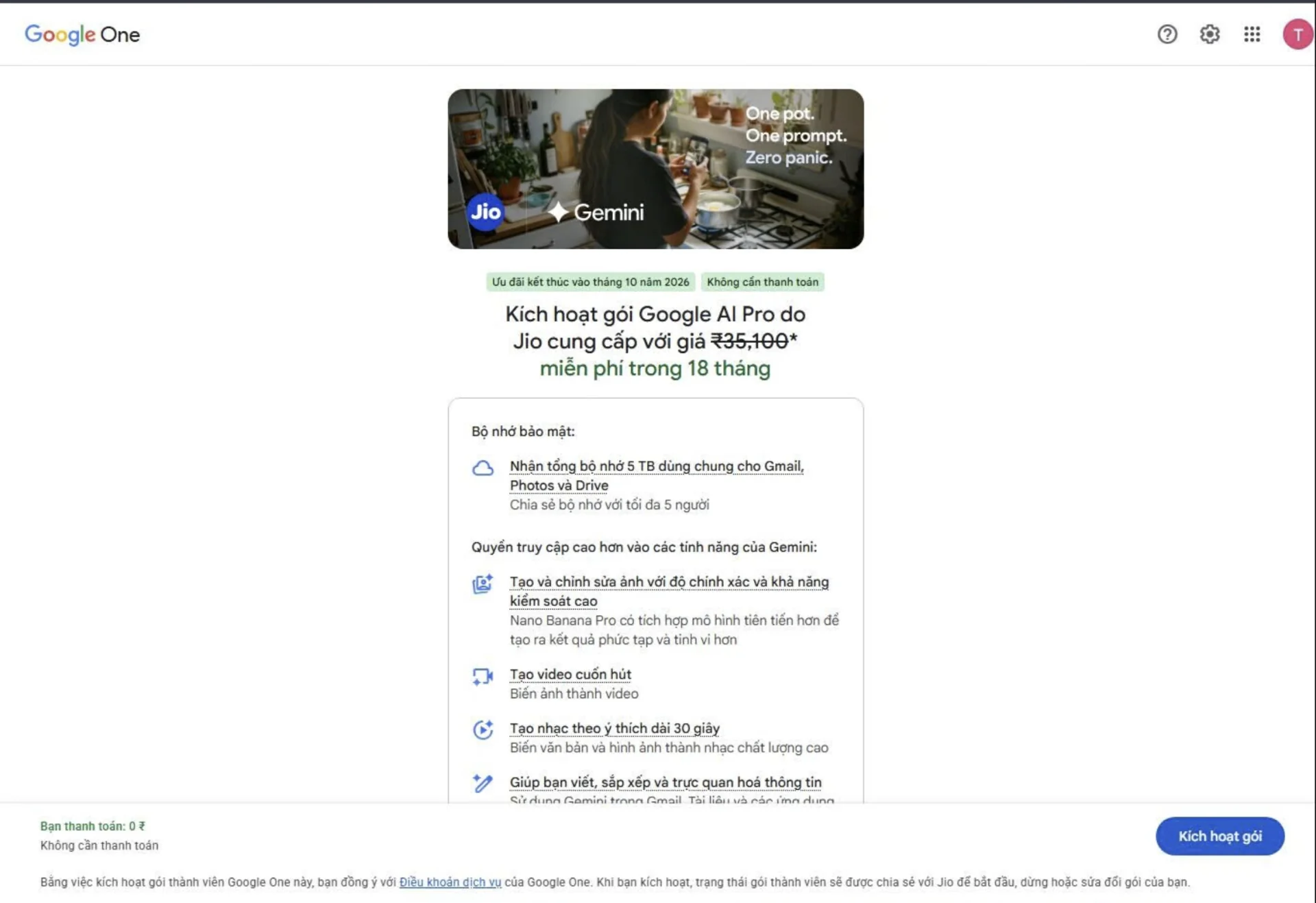
Note: Button names and screens can differ by language or app version. If the screen shows a charge that does not match the offer you expected, re-check the conditions before confirming.
4. Verify that Google AI Pro is active
Once you get the success message, open Google One with the exact Gmail you just linked and check the membership details. Then open Gemini with the same account to confirm access. Do not assume the plan is active just because you pressed the sign-up button in MyJio.
- Cross-check the Gmail address, the plan name and the membership status.
- Note the offer end date shown in the account so you can plan ahead.
- Read the pricing and renewal options that apply after the offer on the plan management screen.
5. Offer missing or activation failing?
If MyJio shows no banner, check the phone number, the active 5G plan and the age requirement one by one. If you finished every step but Google One shows no new plan, check whether you opened the wrong Gmail account and read the error message on screen.
Note: If the error persists, contact Jio support through MyJio or the official help page and quote the error text. Never send your Gmail password, an OTP code or a personal activation link to anyone.
Sources and updates
This guide is based on the MyJio sign-up flow and reflects the age requirement published on the Jio offer page. Google's original announcement explains the early rollout to the 18–25 group before the offer widened to eligible users across India.